For people who already wear an Apple Watch
Four years of data.
One sentence
that matters.
Your iPhone and Watch have recorded your sleep, heart, and recovery for years. Metea reads all of it and writes you a short briefing every morning. No new device. Nothing to log by hand.
- iOS 18+iPhone and Apple Watch
- Apple HealthReads what you already have
- Free to startNo account before you look
Metea briefing
You slept 6 h 12 m. HRV is 14 % under your baseline, third night running, and it tracks with the late espresso rather than your training load. Push the hard session to Thursday.
Apple Health holds
140+ numbers
about you.
It has never once told you why Tuesday was hard.
The data is not the problem. Reading it is. A resting heart rate of 62 means nothing on its own; it means something next to last night's sleep, last week's training, and what you ate at 9 p.m. on Sunday. That comparison is the work, and no chart does it for you.
Metea does that comparison every hour and reports back once a day.
Three steps, then it runs on its own.
Connect Apple Health
One permission screen, granted once. Metea reads the history that is already on your phone, so it has something to say on day one instead of week three.
Around 30 seconds. Revocable at any time in iOS Settings.
Nine agents read it
Sleep, stress, heart, training, nutrition, and recovery each get their own reader. They learn what normal looks like for you, not for an average 34-year-old.
Runs hourly in the background. Nothing to open.
One briefing each morning
Two or three things worth acting on, with the reasoning attached. If nothing changed, it says so and stops talking.
Delivered at 08:00, or whenever you wake.
What it actually reads.
Everything below comes out of Apple Health, written there by your iPhone, your Watch, or any app you already trust. Metea adds no sensors of its own.
Heart
- Heart rate variability
- Resting heart rate
- Walking heart rate
- Cardio fitness (VO₂ max)
- Heart rate recovery
Sleep
- Sleep stages, phase by phase
- Time in bed against time asleep
- Respiratory rate overnight
- Blood oxygen
- Wrist temperature (Series 8 and later)
Load
- Workouts and intensity
- Active and resting energy
- Steps and distance
- Stand hours
- Aerobic decoupling
Fuel
- Calories and macronutrients
- Vitamins and minerals
- Water intake
- Caffeine timing
- Meal timing against sleep
Nine agents. One briefing.
Each one watches a single part of you and knows what normal looks like for that part. They compare notes before anything reaches you, so you get a conclusion instead of nine notifications.
Briefing
Writes the morning summary. Decides what is worth saying and what is noise.
DailySleep
Scores the night on efficiency, phase length, and continuity, not just hours.
NightStress
Reads HRV and heart rate against your own baseline to find load you did not notice.
DayRecovery
Answers one question: is today a day to push, or a day to back off.
DayTraining
Tracks capacity across weeks and flags the drift before it becomes an injury.
LoadNutrition
Watches micronutrients and timing, including the caffeine that costs you Tuesday.
FuelCircadian
Learns your real chronotype and where your schedule fights it.
RhythmHealthspan
Turns the slow-moving signals into a biological age you can move.
Long termCoach
Answers questions about your own numbers, in plain language, with the data attached.
On demand
Inside the app.
Two screens, straight out of the build. The times and numbers are the ones that were on the phone when the picture was taken.
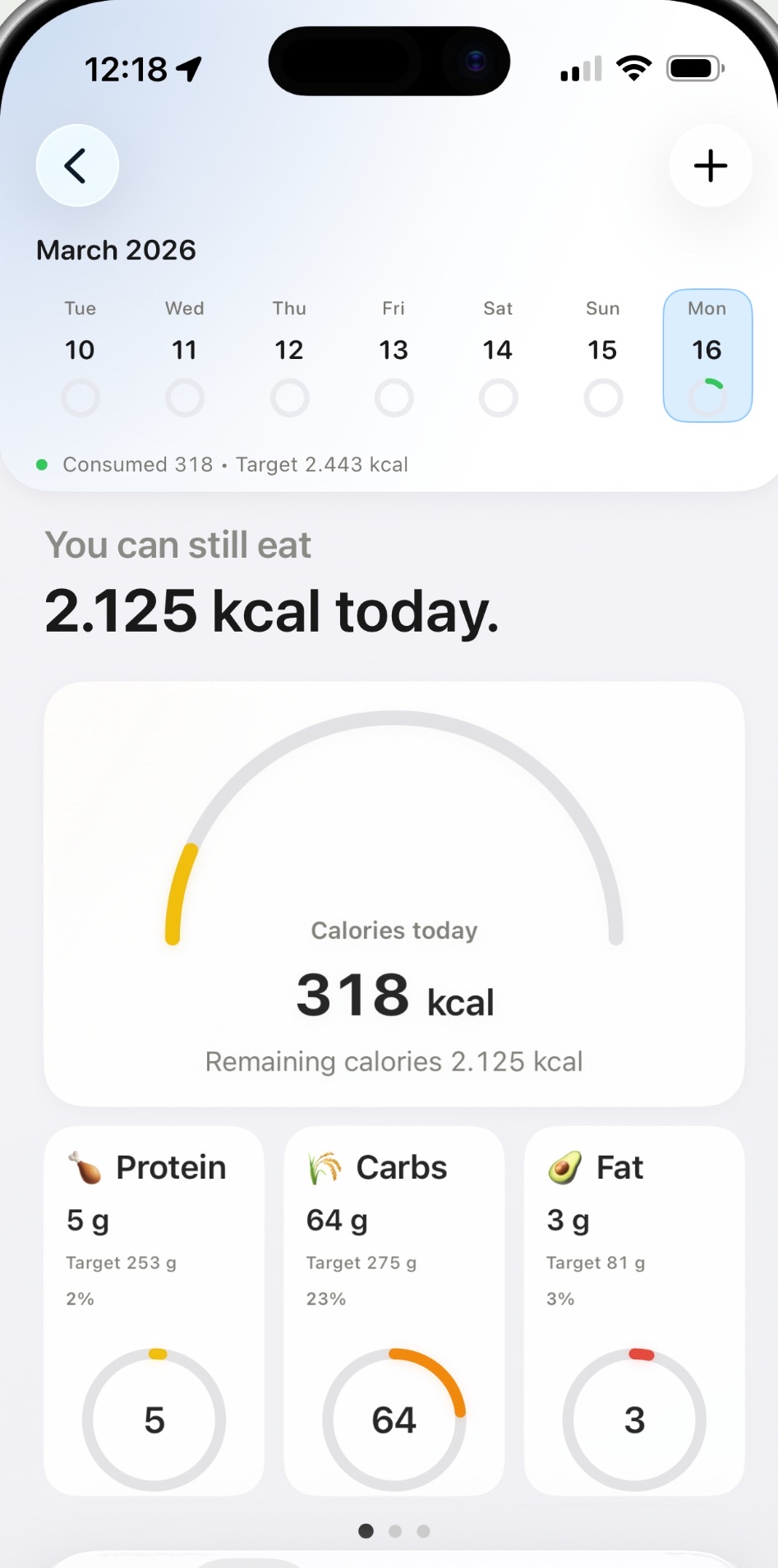
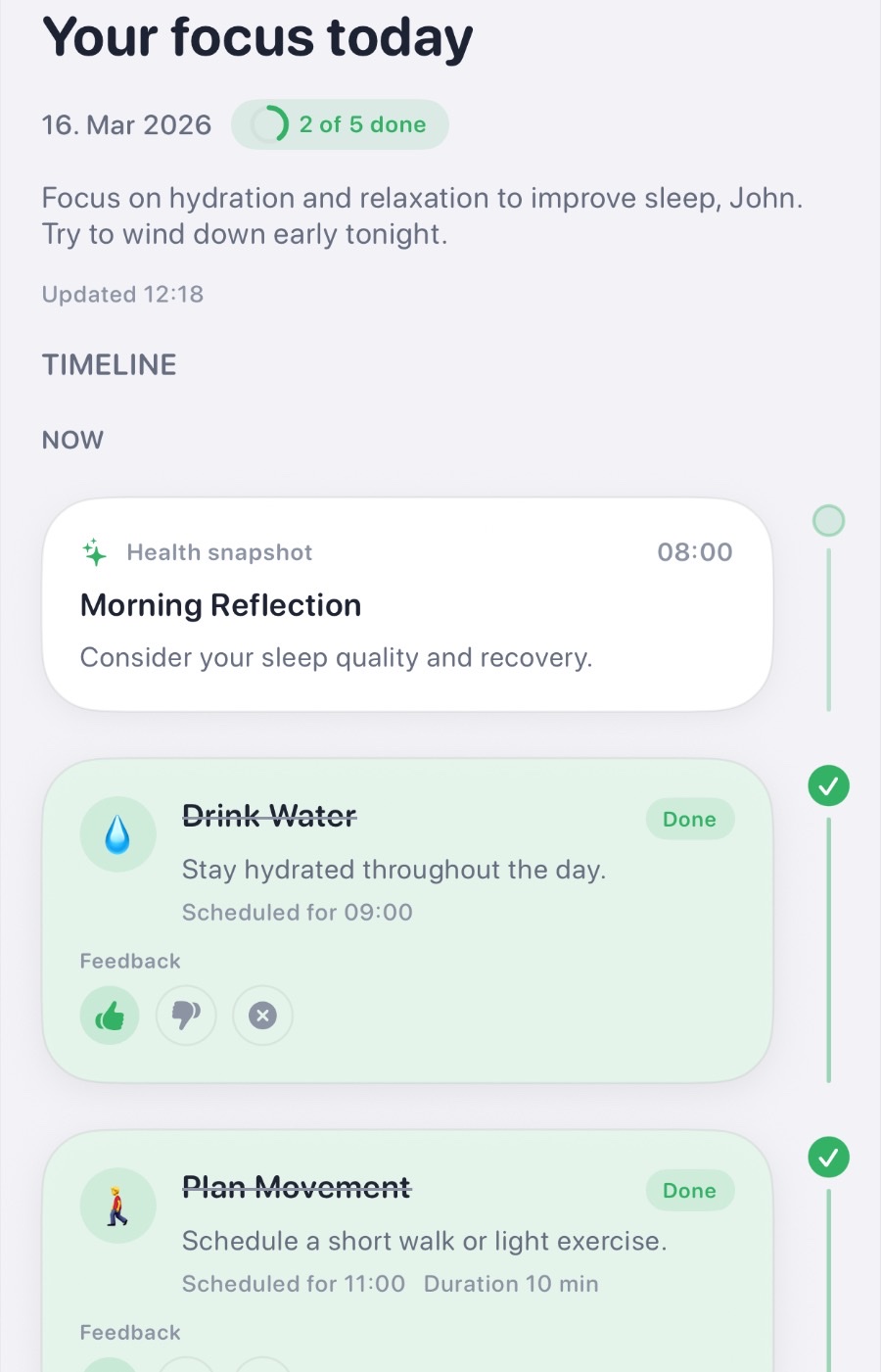
What the App Store shows you.
The same preview cards, in the same order, so there is no gap between this page and the page you land on next.
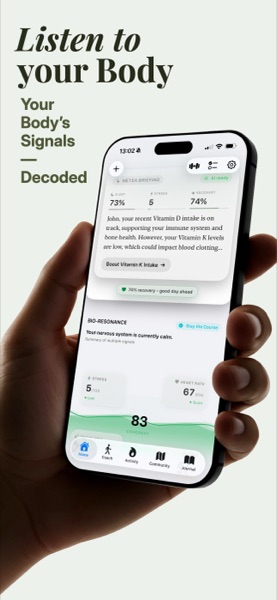
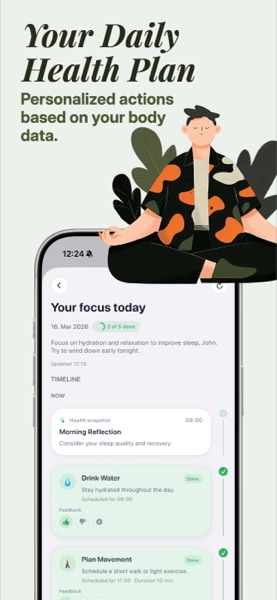
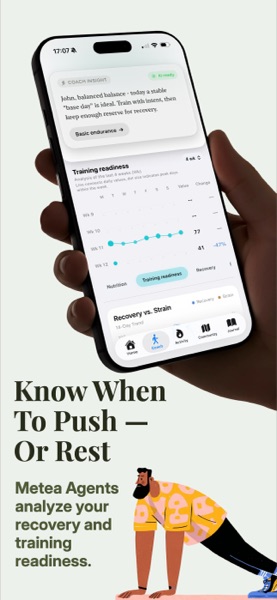
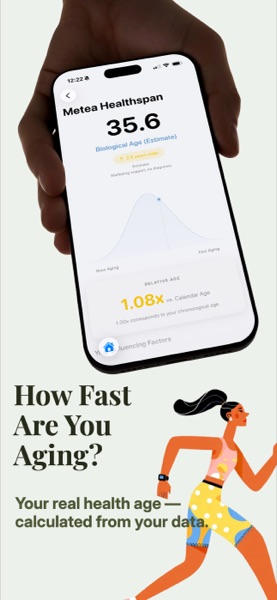
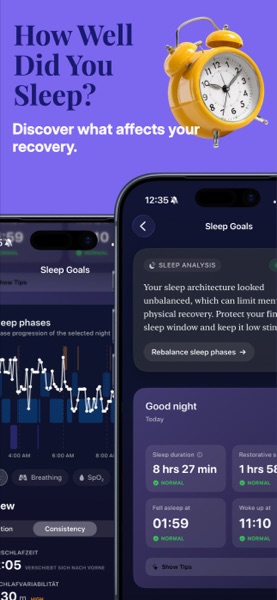
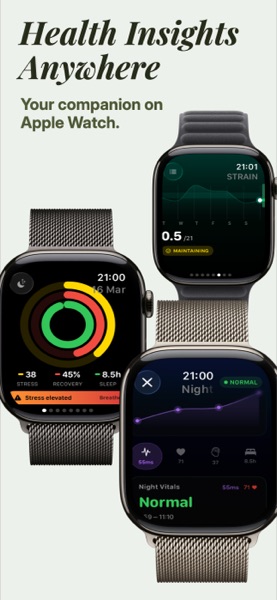
Unretouched App Store preview cards.
What we do with your data, precisely.
Health data deserves a specific answer, not a badge that says 100 %. Here is the exact shape of it.
Health data is read on your device
Metea queries Apple Health locally and keeps the working copy on your phone. Apple never hands the raw HealthKit store to us, and we do not upload it.
Briefings are written by a language model
To write the morning text, a reduced summary of your recent metrics is sent to OpenAI. It carries no name, no email, and no Apple ID. It is not used to train models.
Community numbers are aggregated first
If you turn on regional insights, your values are pooled at city level before they leave the device. No GPS coordinates are stored, and a city needs enough participants before it reports anything at all.
Nothing is sold, nothing is advertised against
There are no ad SDKs and no data brokers in this app. Revenue comes from the subscription, which is the whole reason there is one.
Before you download.
Do I need an Apple Watch?
No, but it changes what Metea can say. An iPhone alone gives steps, workouts, and whatever you log. A Watch adds HRV, sleep stages, resting heart rate, and overnight breathing, which is where most of the interesting patterns live.
What does this do that Apple Health does not?
Apple Health stores and charts. It does not compare Tuesday against your last six Tuesdays, or connect a 9 p.m. meal to a 4 a.m. wake-up. Metea does that comparison across sources and writes the result as a sentence.
Does it work with Oura, Whoop, or Garmin?
If the device writes to Apple Health, Metea reads it. Oura, Garmin, Withings, and most sleep trackers do. Whoop keeps most metrics in its own app, so coverage there is partial.
How long before it says anything useful?
The first briefing arrives the next morning, built from the history already in Apple Health. Personal baselines need roughly seven days of continuous wear before Metea will call something unusual for you specifically.
Is my health data sent to a server?
The raw data stays on the device. A reduced, unnamed summary of recent metrics goes to the language model that writes your briefing. The privacy policy lists exactly which fields those are.
What does it cost?
The app is free to download and use. Pro unlocks the full agent set and long-range analysis as a monthly or yearly subscription; current pricing is shown on the App Store page for your region.
Tomorrow morning, you get a sentence.
Connect Apple Health tonight. Metea reads the history that is already there, so the first briefing does not wait for new data.
Free to start. Requires iOS 18 or later.